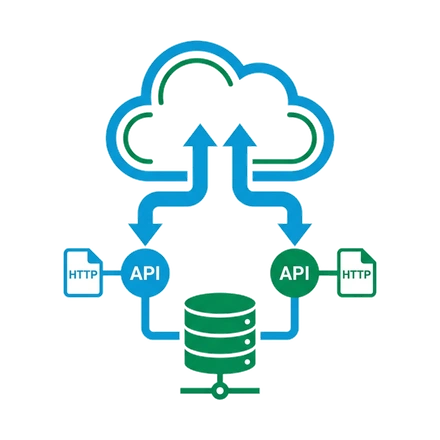
Flow‑driven data validation — no Apex required
How to Automate Data Validation Without Apex Using Salesforce Flow
Data quality is the backbone of any successful Salesforce implementation. Poor data quality leads to inaccurate reports, frustrated users, and missed business opportunities. While Apex triggers have traditionally been the go-to solution for complex data validation, Salesforce Lightning Flow now offers a powerful, declarative alternative that admins can configure without writing a single line of code.
In this comprehensive guide, we'll explore how to build robust data validation automations using Lightning Flow, covering everything from basic field validations to complex cross-object data integrity checks.
Why Use Flow for Data Validation?
Before diving into the how‑to, let's understand why Flow is an excellent choice for data validation:
- No coding required – Admins can build and maintain validations without developer resources.
- Visual interface – Easy to understand and troubleshoot compared to code.
- Flexible error handling – Display custom error messages to users at the right time.
- Before‑save execution – Validate data before it's committed to the database.
- Easier maintenance – Changes can be made quickly without deployments.
- Built‑in testing – Debug your flows directly in the Flow Builder.
When to Choose Flow Over Validation Rules
While validation rules are perfect for simple field‑level checks, Flow excels when you need to perform complex validations involving multiple records, cross‑object queries, or conditional logic that depends on related data.
Understanding Before‑Save Flows
The key to effective data validation with Flow is using Record‑Triggered Flows with the Before Save timing. This executes your validation logic before the record is committed to the database, preventing invalid data from being saved.
Key characteristics:
- Execute synchronously during the save operation.
- Can prevent the record from being saved by adding errors.
- Have access to both old and new field values.
- Cannot perform DML operations (create, update, delete other records).
- Must be fast to avoid user experience issues.
Use Case 1: Validating Email Domain for Business Accounts
Business Requirement: When a Contact is created or updated with an Account Type of "Business", the email domain must not be a free email provider (Gmail, Yahoo, Hotmail).
Step‑by‑Step Implementation
Step 1: Create a Record‑Triggered Flow
- Navigate to Setup → Flows → New Flow → Record‑Triggered Flow.
-
Object:
Contact| Trigger: created or updated | Optimize: Fast Field Updates | Trigger: Before the record is saved.
Step 2: Add Entry Criteria – Decision element:
{!$Record.AccountId} Is Null = False AND
{!$Record.Email} Is Null = False.
Step 3: Get the Related Account – Get Records
element: object Account, filter Id equals
{!$Record.AccountId}, store first record in variable
varAccount.
Step 4: Check Account Type – Decision: "Is Business
Account" → condition
{!varAccount.Type} Equals "Business".
Step 5: Validate Email Domain – First create a
formula resource formulaEmailDomain (text) with:
LOWER(
  RIGHT(
    {!$Record.Email},
    LEN({!$Record.Email}) - FIND("@", {!$Record.Email})
  )
)
Then another Decision: Invalid Domain → conditions
{!formulaEmailDomain} Contains "gmail.com" OR
… "yahoo.com" OR … "hotmail.com".
Step 6: Error handling (validation‑rule workaround) –
In Before‑Save you cannot add errors directly. Instead, create a
checkbox field Flow_Validation_Error__c on Contact. In
the "Invalid Domain" path, add an Assignment:
{!$Record.Flow_Validation_Error__c} = TRUE. Then create a
validation rule on Contact:
Flow_Validation_Error__c = TRUE with error message:
"Business contacts must use a corporate email address. Free email
providers (Gmail, Yahoo, Hotmail) are not allowed."
email validation flow structure
Use Case 2: Preventing Duplicate Opportunities
Business Requirement: Prevent creating an Opportunity if another Opportunity exists for the same Account with Close Date within 30 days and the same Product Category.
Implementation highlights:
- Trigger: Before Save on Opportunity (create only).
-
Formula resources:
formulaStartDate = {!$Record.CloseDate} - 30;formulaEndDate = {!$Record.CloseDate} + 30. - Get Records: Opportunity where AccountId matches, CloseDate between the two formulas, Product_Category__c matches, and Id != current (to exclude self).
- Decision if collection size > 0 → set validation flag with custom message.
Use Case 3: Cross‑Object Field Dependency Validation
Validate that a Partner Contact's Mailing State matches the Account's Billing State.
- Trigger: Before Save on Contact, entry condition RecordType = "Partner Contact".
-
Get Account record → store. Decision:
{!$Record.MailingState} != {!varAccount.BillingState}→ set flag.
Use Case 4: Conditional Required Fields
When Opportunity Stage = "Proposal/Price Quote" and Amount > $50,000, Description and Next Steps must be filled.
- Decision: High Value Deal (Amount > 50000).
- Nested Decision: Missing Required Info → Description Is Null OR NextStep Is Null → set flag with descriptive error.
Use Case 5: Data Format Validation with Regex
International contacts (Country != "United States") must have phone
format +XX-XXX-XXX-XXXX.
-
Formula resource
formulaPhoneValid(boolean):REGEX({!$Record.Phone}, "^\\+[0-9]{2}-[0-9]{3}-[0-9]{3}-[0-9]{4}$") - Decision: country not US, phone not null, formulaPhoneValid = false → set flag.
Best Practices for Data Validation Flows
Performance Optimization
- Keep Before‑Save flows fast (under 1 second).
- Use filters in Get Records to limit query results.
- Add decision elements to exit early when validation not needed.
User Experience
- Provide clear, actionable error messages.
- Tell users exactly what's wrong and how to fix it.
- Avoid technical jargon.
Testing & Maintenance
- Test with both create and update, edge cases, and bulk operations.
- Use clear element names, descriptions, and document business rules.
Common Pitfalls to Avoid
- Performing DML in Before‑Save Flows – not allowed; use After‑Save if you must update related records.
- Not handling null values – always check before operations.
- Over‑complex logic – if a flow exceeds ~15 elements, consider splitting or using Apex.
- Forgetting bulk context – test with Data Loader.
Comparing Approaches: Flow vs. Validation Rules vs. Apex
| Feature | Validation Rules | Before‑Save Flow | Apex Trigger |
|---|---|---|---|
| Complexity | Simple field checks | Moderate to complex | Unlimited |
| Cross‑object validation | Limited | Yes (Get Records) | Yes |
| Custom error messages | Yes | Yes (with flag+VR) | Yes |
| Performance | Fastest | Fast | Fastest |
| Maintenance | Easy | Moderate | Developer needed |
| Bulk operations | Excellent | Good | Excellent |
| Skill | Admin | Admin | Developer |
Troubleshooting Common Issues
- Flow doesn't fire: check entry conditions, trigger criteria, flow active.
- Error message not displaying: validation rule active? flag field being set?
- Timeout / CPU limits: simplify formulas, reduce Get Records, add early exit decisions.
- Bulk operation failures: test with Data Loader, avoid hardcoded IDs.
Real‑World Example: Complete Validation Flow
Business rules for Opportunity:
- Close Date must be in the future.
- For existing customers, Amount ≥ $10,000.
- Stage "Closed Won" requires Competitor Analysis filled.
- Can't close if Account has overdue invoices.
Flow structure:
START (Before Save Opportunity)
  ↓
DECISION: Should Validate? (stage changed or key fields)
  ↓ (Yes)
DECISION: Close Date > today? → else set flag
  ↓
GET Account → check customer status
  ↓
DECISION: Existing customer? (if yes, validate Amount)
  ↓
DECISION: Stage = Closed Won?
  ↓ (Yes)
    DECISION: Competitor Analysis filled? → else flag
      ↓
    GET Records: outstanding invoices (Account child)
      ↓
    DECISION: Overdue invoices? → if yes, set flag
  ↓
END
Conclusion
1. Lightning Flow provides a powerful, declarative way to implement complex data validation logic without writing Apex. By leveraging Before‑Save Record‑Triggered Flows, admins can ensure data quality, enforce business rules, and provide immediate user feedback.
2. While the lack of a native "Add Error" action requires workarounds (like flag fields with validation rules), this approach still offers significant advantages in maintainability and visibility.
3. Start with simple validations, gradually build complexity, test thoroughly (especially bulk), and keep performance in mind.
4. With these techniques, you can maintain high data quality standards while empowering admins to own critical business logic.